No save button, no conflicts
Edits merge as they happen, character by character, using CRDTs. Two people typing in the same row, or reorganising the same branch, end up with the same document.
Self-hosted planning for software teams
Nested is a live outliner where every leaf is a task. Break a release into the work beneath it, give each task an owner and a size, and watch progress roll up the tree as your team works, on a server you run.
How it works
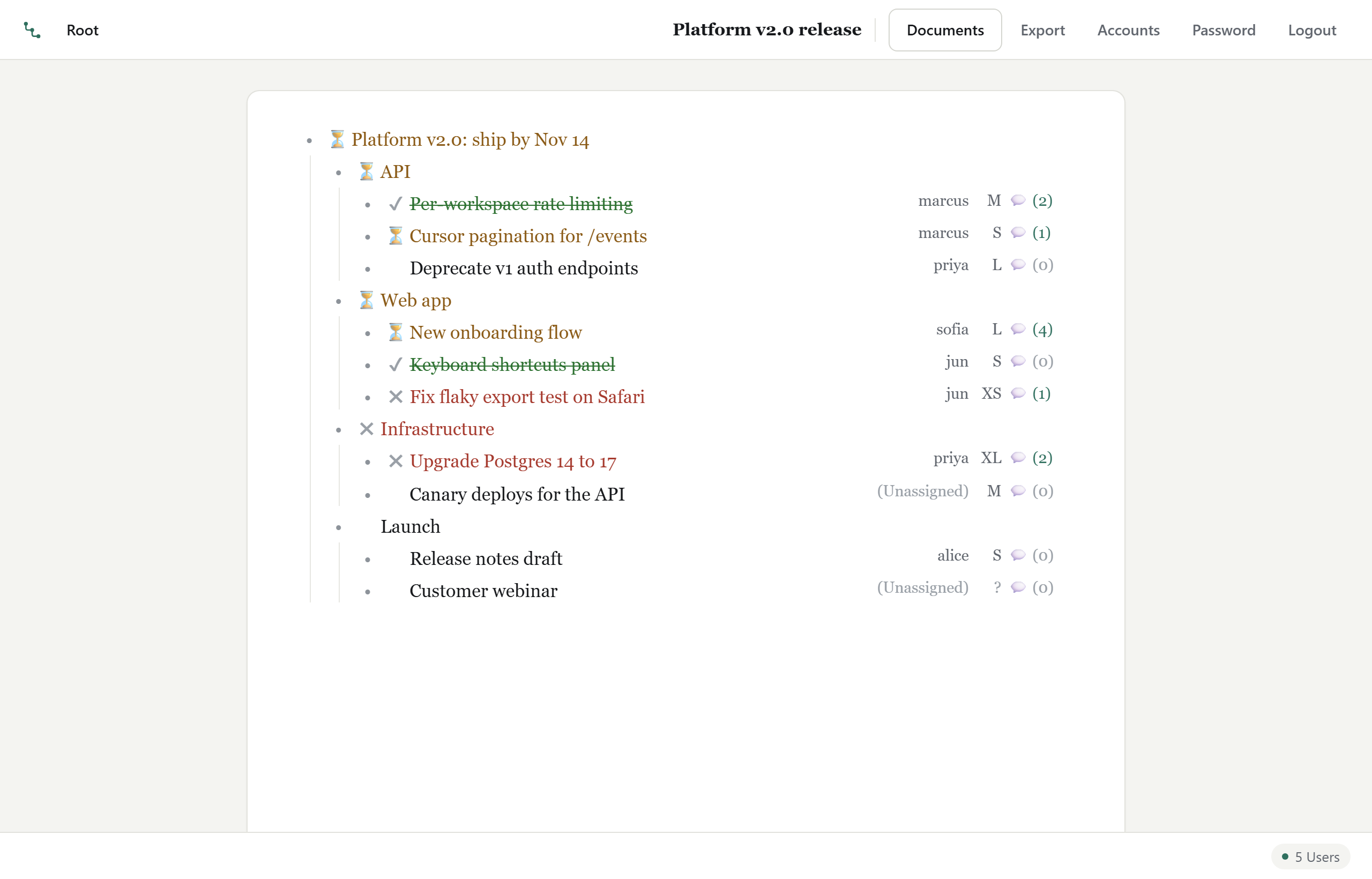
Most plans start as a list, and most lists end up in a tool that wants forms, boards and custom fields. Nested keeps the list. The structure you type is the structure of the work.
Enter adds a row. Tab nests it under the row above, Shift-Tab lifts it back out. Alt-Up and Alt-Down reorder tasks, or drag them by the bullet. It is a text editor first, so you plan as fast as you can type.
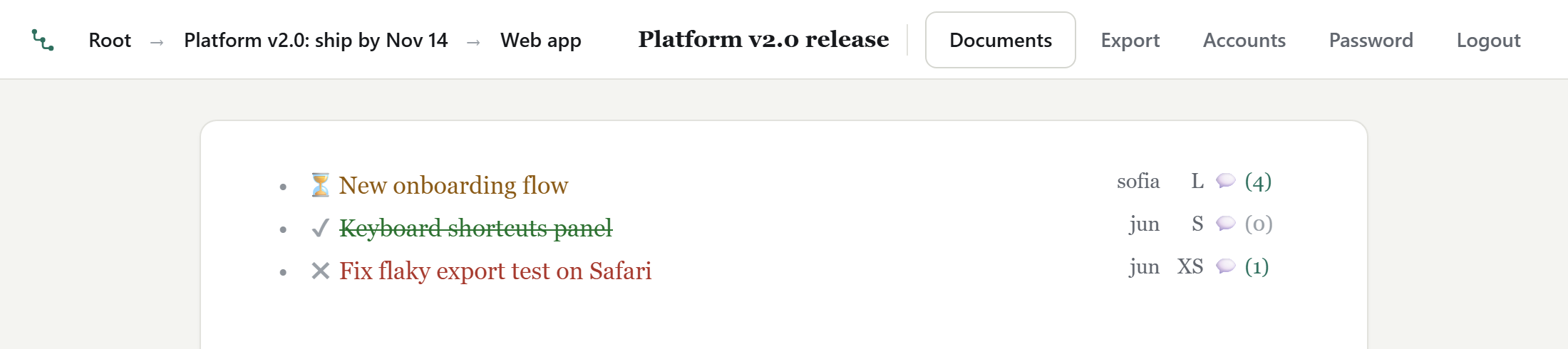
Click a bullet, or press Ctrl-Enter, to zoom into one branch. A big plan becomes a small, focused list, and the breadcrumb takes you back up.
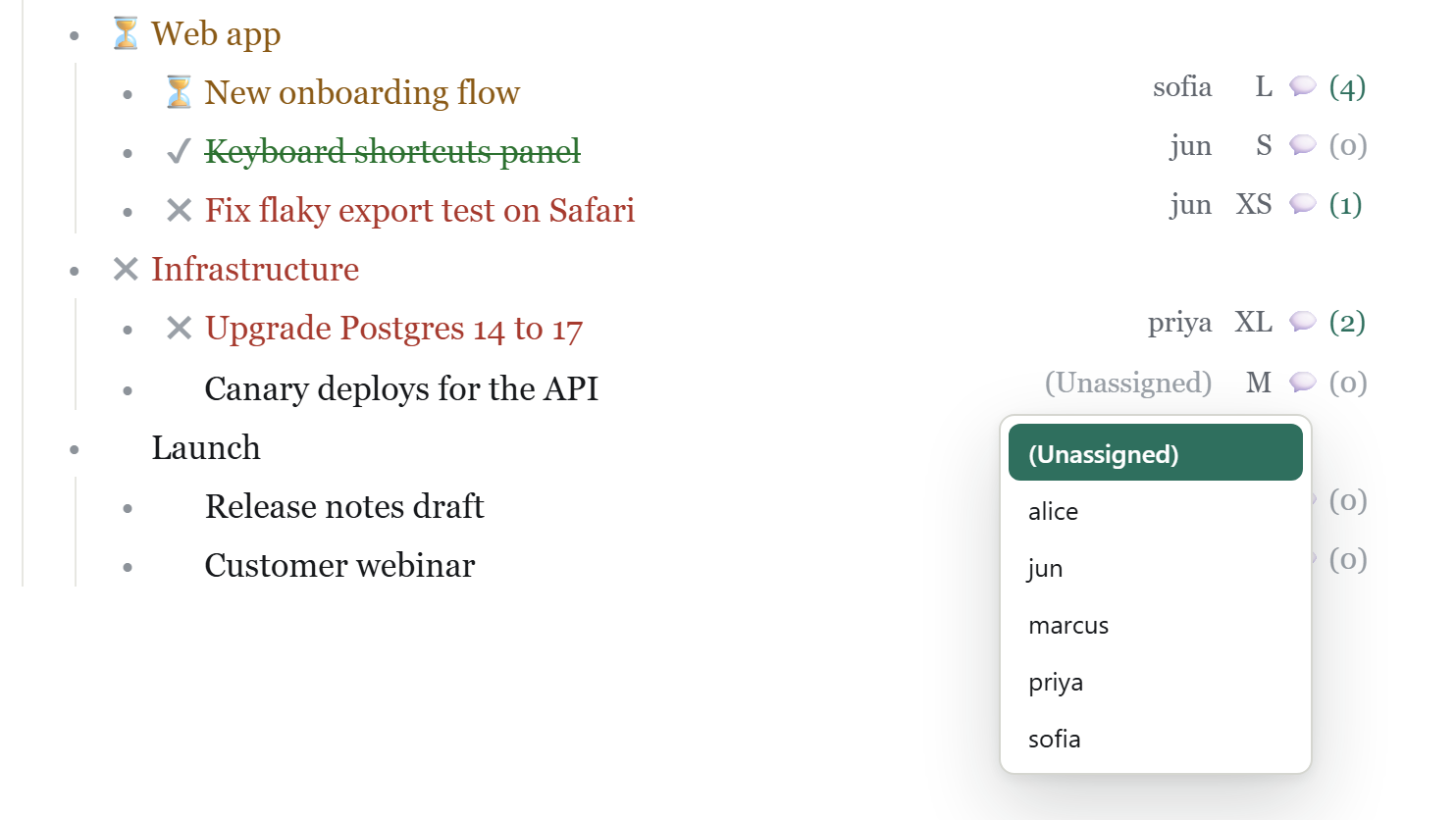
A row with no children carries an owner, a size and a status. Pick an assignee from the people the document is shared with, size it from XS to XL, and mark it in progress, blocked or complete. Each one is a click or a single shortcut away.
A section's status is computed from its tasks, all the way to the top. If anything under it is in progress, the section is in progress. If work is stuck, it shows blocked. When the last task is done, the whole branch turns green.
Nobody updates a parent by hand, so the summary can't drift from the work. Finishing the last task in a section gets a small celebration, too.
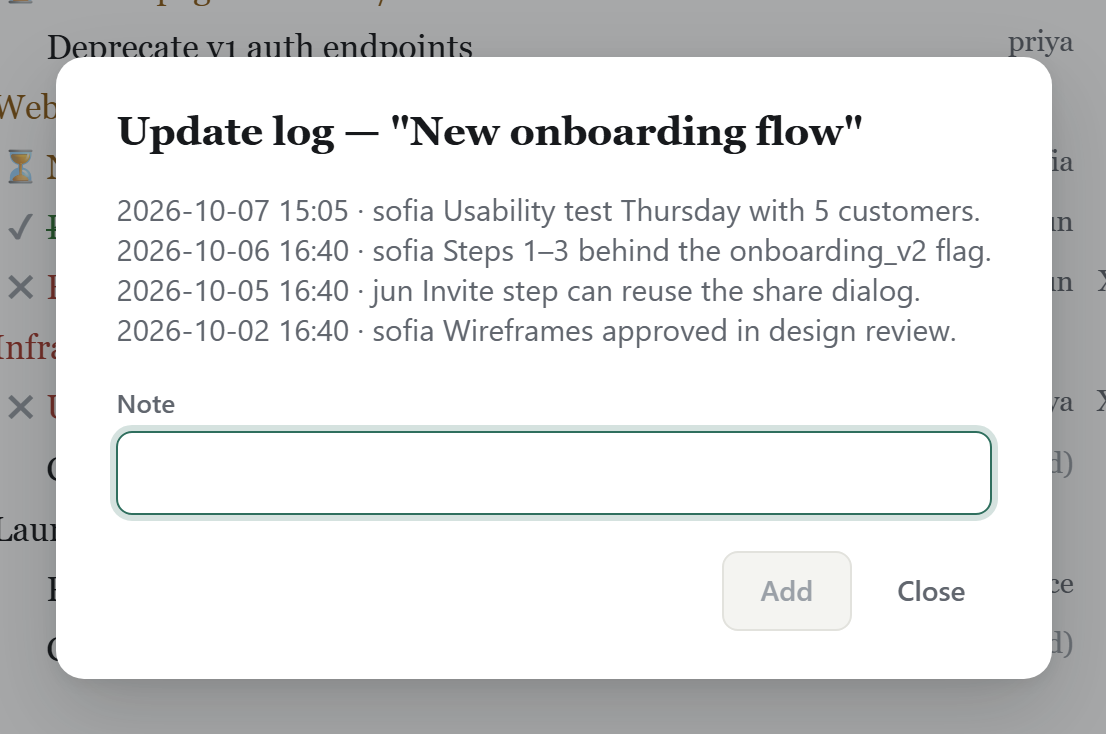
Every task keeps an update log: short, timestamped notes from anyone on the document. The decision, the blocker and the link to the PR stay with the work instead of scrolling away in chat. The count on each row shows where the conversation is.
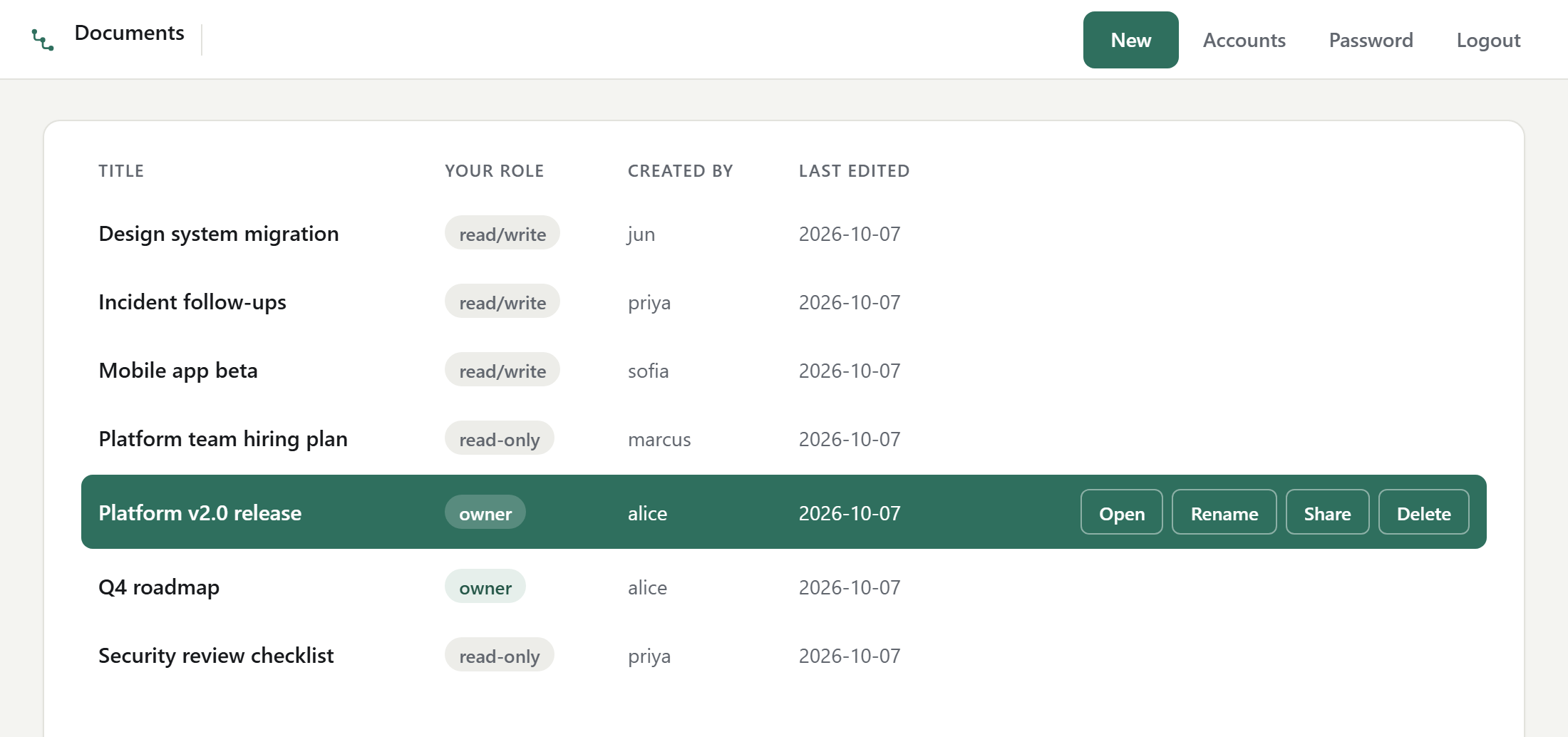
Keep the roadmap, each release, the incident follow-ups and the hiring plan as separate documents. Each one has its own sharing list: read-only, read/write or owner. People see the documents shared with them and nothing else.
Real-time
Edits merge as they happen, character by character, using CRDTs. Two people typing in the same row, or reorganising the same branch, end up with the same document.
Every client holds a full copy of the open document, so edits appear instantly and sync in the background.
Ctrl-Z undoes your own edits, never a teammate's, even when they were working in the same rows.
The footer shows how many people have the document open. Shares, renames and role changes reach everyone without a refresh.
Browser, desktop, terminal
Nested has three interfaces built on one shared core, so they look alike, behave alike and use the same keys. Your server hands out the desktop and terminal clients already configured to reach it, so there is nothing to set up.
Keyboard first
The same shortcuts on every platform and in every interface.
Self-hosted
Nested runs on a machine you choose. Plans never pass through anyone else's cloud, and the server never needs to reach ours.
$ tar -xzf nested-server-linux-x64.tar.gz
$ ./nested-server/nested-server
config: ~/.config/nested-server/nested-server.json (first-run)
first run: generated a key pair - certificate fingerprint (SHA-256) 3q2+7w…
first run: created the administrator account "admin"; its password is
  ••••••-••••••-••••••-••••••-••••••
# paste your license key into the config, then start it againPricing
A license covers one server and every update in its major version. Seats are the people who can sign in. Clients and the web frontend are always included.
For a team getting started.
$60USD, one time
Best value
For a growing engineering org.
$1,000USD, one time
For any other number of seats.
Let's talk
Your license key arrives by email together with the server download. Need more than one server, or a trial key? Get in touch.
FAQ
A key is a short string you paste into the server's configuration file. It records how many seats you bought and which major version it covers, and it's signed so it can't be altered. The server checks it offline every time it starts. It never contacts us.
Each approved account on your server uses one seat. Pending and rejected registrations don't. The server compares its accounts with your key at every start, and if you've outgrown your plan it asks for a key with more seats before it starts again.
Your key keeps working with every release in the major version it covers, indefinitely. To move to the next major version, you buy a key for it. Until then, nothing stops working.
On Linux or Windows (x64), or with the Docker image. It's a single executable with its database beside it. If you enable the built-in web frontend, browsers can reach it directly or through your usual reverse proxy.
Your server has a downloads page. The desktop app (Windows, macOS) and terminal app (Linux, Windows) downloaded from it come set up to connect to your server, with its certificate pinned. Anyone with a browser can use the web frontend with no install at all.
It's built for planning: deciding what the work is, who has it, how big it is and where it stands. Keep your tracker for bugs and put the plan in Nested, where the shape of the work stays visible. Any document exports to plain text with Ctrl-E.
Yes. Ask for a trial key and we'll send one with the server download.
Set up a server in minutes. Your team can be planning together the same afternoon.